Sinaps
Skip to content

For classes, conferences and corporate training

Ask while you teach. Everyone answers on their phone.

Add questions between your slides. The answer key stays hidden until you reveal it, and mistakes are reviewed after class.

After signing up, you apply for presenter access.

Joining a presentation?

The code and QR code are on the screen.

Browse public sessions
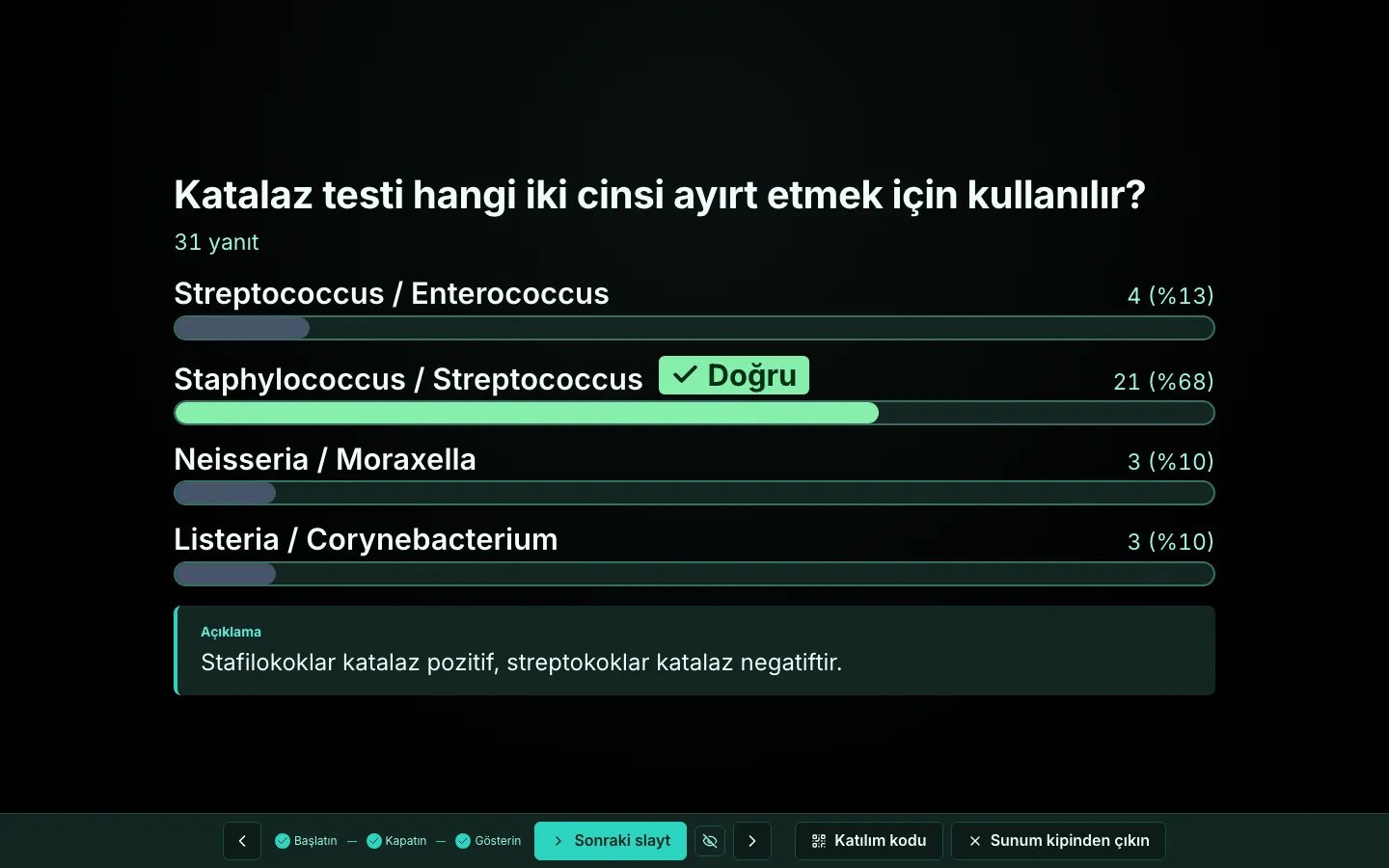
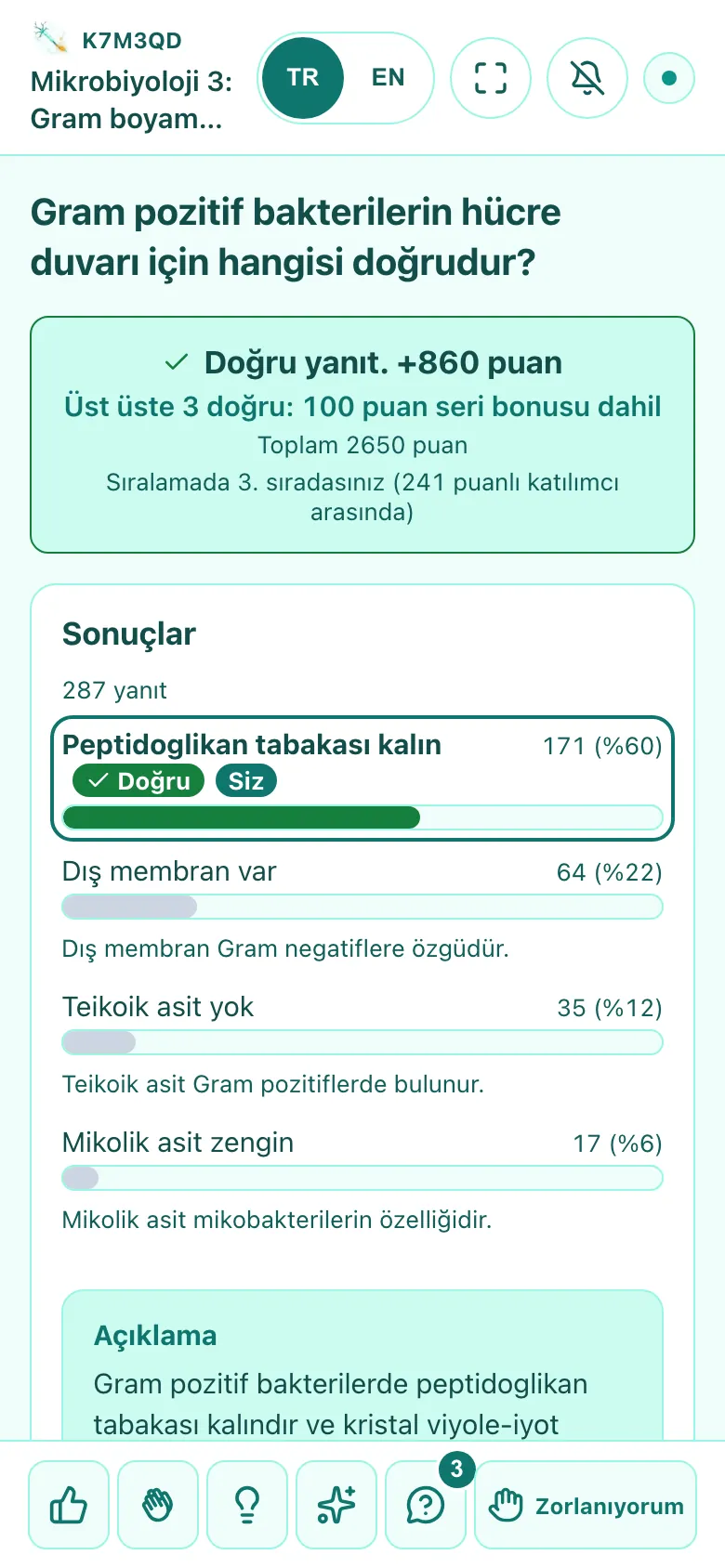
The Sinaps stage: the result of a quiz question is revealed, the correct option is marked and the answer distribution is visible.A participant's phone: their answer to the quiz question is correct, with the points earned and the answer distribution.

At a glance

  • No app or account needed to join
  • Interface in Turkish and English
  • No ads, trackers or cookies
  • Runs in the browser and on iOS

Live interactions

See what the room thinks, as it happens.

Questions sit between your slides and open when you reach them. You decide when the results go on screen.

Try an interaction

Sample session

Live results

How do you learn a new topic best?

Tap an option to add your vote to the results.

24 sample responses

This is a sample; your answers are not saved.

Interaction types

  • Quiz

    Timed and scored; you can explain each option.

  • Poll

    Checks prior knowledge and opinions.

  • Word cloud

    The most common words grow larger.

  • Open ended

    Short written answers collect on the screen.

  • Scale

    Measures agreement or self-assessment.

  • Estimate

    Shows the spread of numeric guesses next to the true value.

  • Pin on image

    Participants tap the right spot on an image.

  • Ordering and matching

    Participants put steps in order or match concepts.

  • Q&A

    Participants ask and upvote; you choose what goes on screen.

  • Reactions and I'm struggling

    You see when the room is lost; nobody is singled out.

In class and at conferences

Classes and conferences need different things.

Sinaps was built in the lectures of a medical school, where it is still in use. The same tools work in high school and university classes, at conferences and in corporate training.

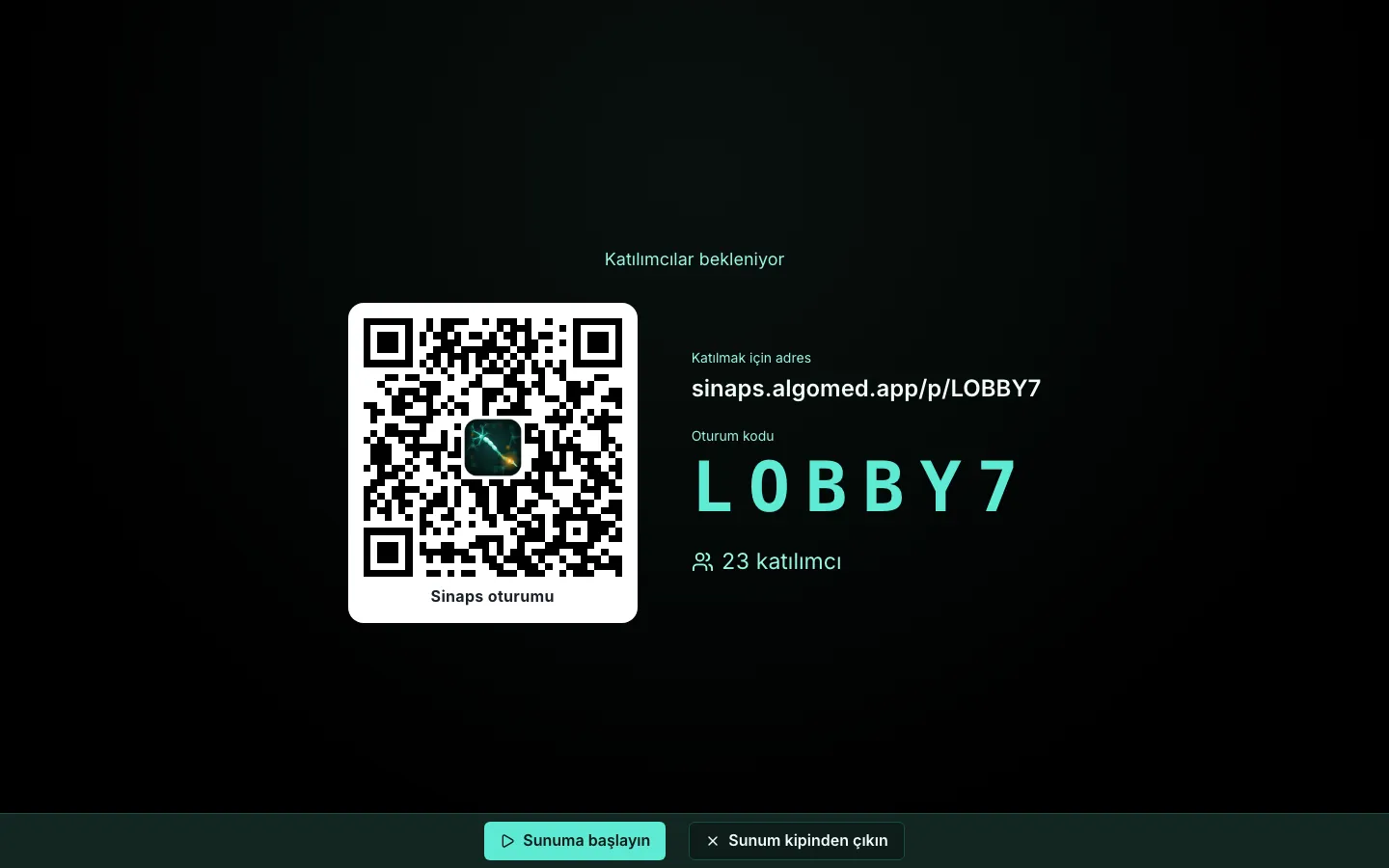
The stage lobby: the join address, QR code and session code on the screen.

Class

See what landed before class ends.

  • The answer key is not sent to phones or the display until you reveal the result
  • Pair the classroom or hall computer as a Display with a code; no password is typed on it
  • If the connection drops, a multiple-choice answer waits on the phone and is sent when it returns
  • Advance slides with a presentation clicker, your phone or an Apple Watch
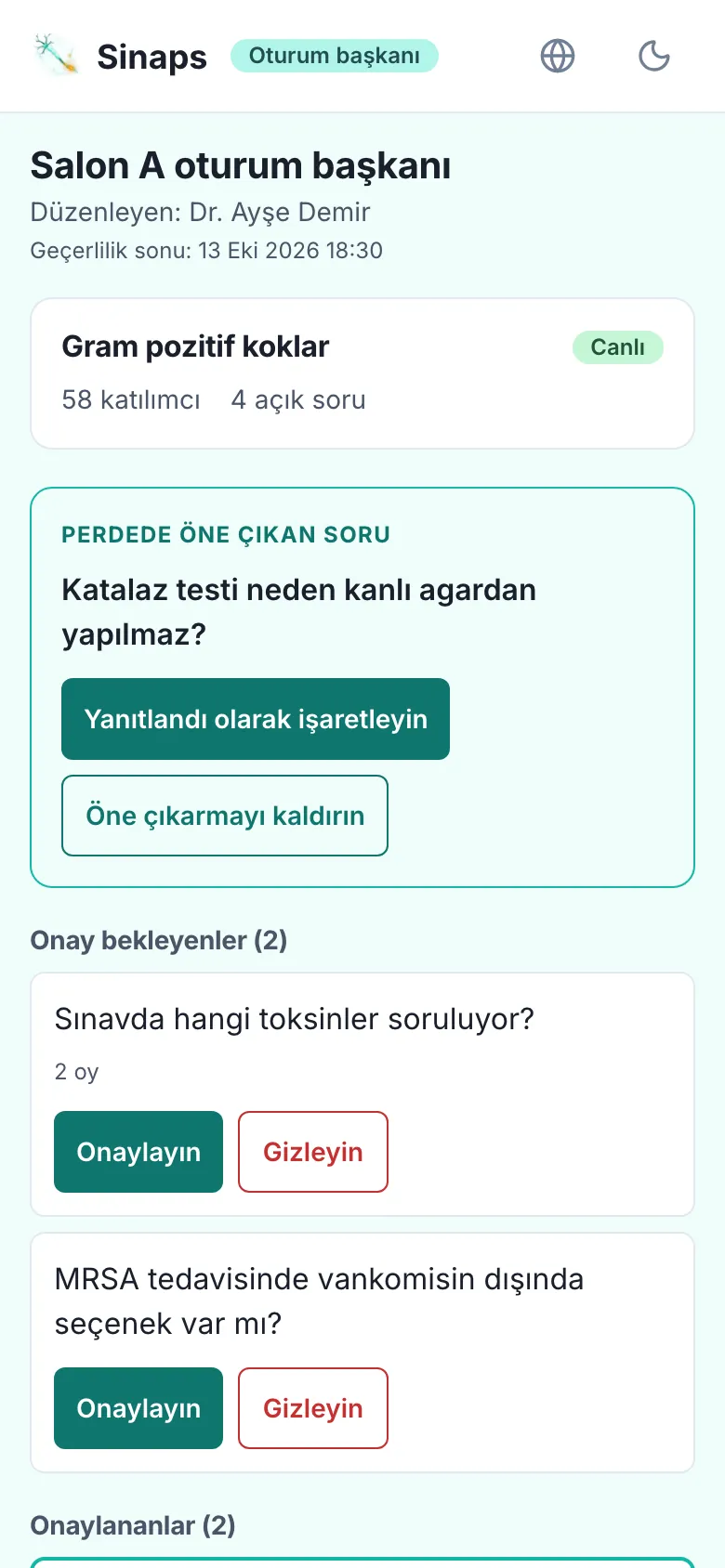
The session chair's phone: the question highlighted on the screen and the questions awaiting approval.

Conference

The session chair decides which questions go on screen.

  • The session chair approves and highlights questions from their own phone, with no account
  • Each speaker runs their slides from their own link
  • The hall's permanent address and QR code lead to whichever session is open
  • Offensive language is filtered, and participants can report content

Team league

A team competition that runs all term.

Students form their own teams, and quiz points from every linked class count toward the team. No badges or game noise; attention stays on the class.

  • Students form the teams

    They create a team with an AlgoMED account or join one with an invite code.

  • Points add up over the term

    The league table adds up team points from the linked sessions.

  • The team table goes on screen

    It shows during class, and a podium appears when the session ends.

  • Standings export to Excel

    Download the league table as an Excel file.

After class

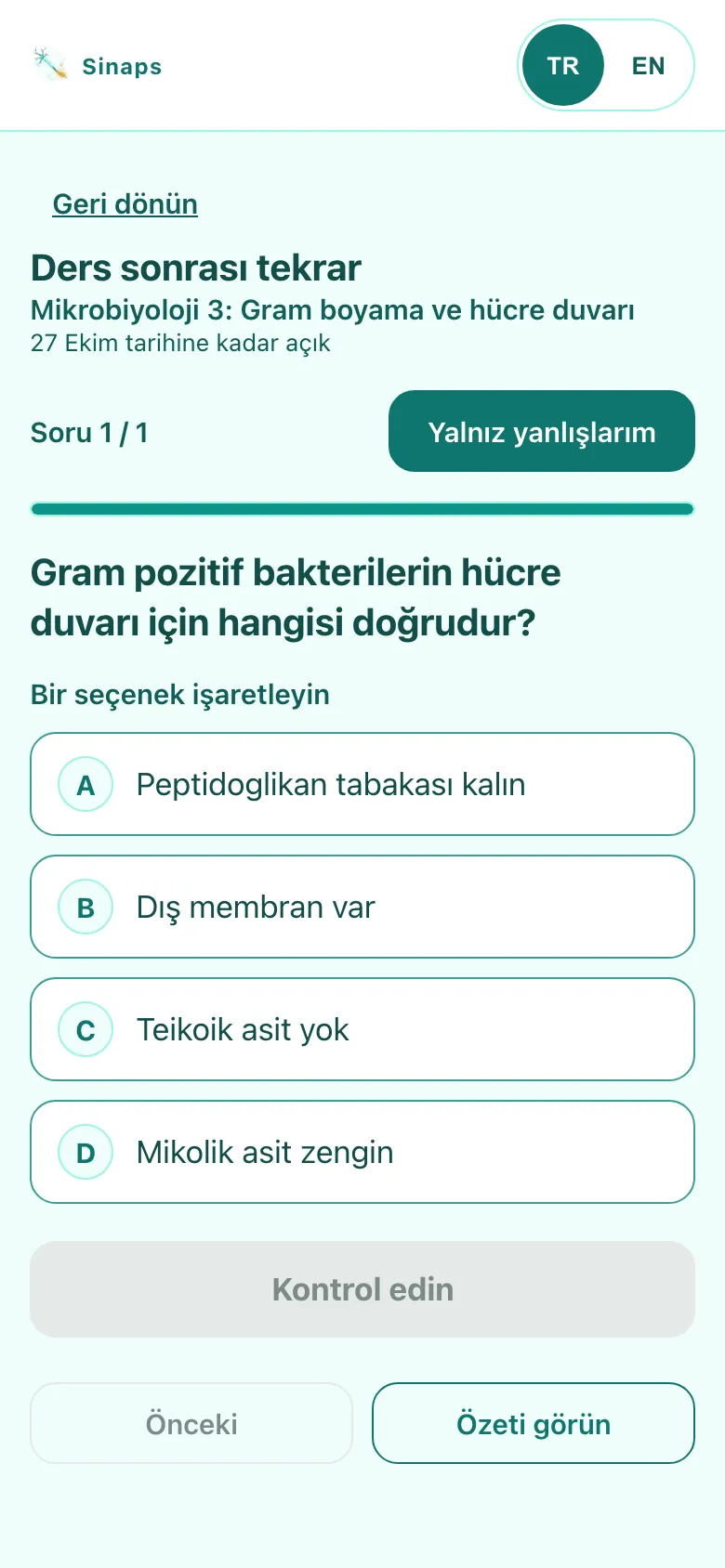
Missed questions come back after class.

Participants work through the questions from class again on their phones and, if you allow it, download the slides as a PDF with the correct answers. You get the session report.

The review screen on a participant's phone: a question from class waits to be solved again.

Review on the phone

  • The question, their own answer and the option explanations side by side
  • The review link stays open for up to 30 days unless you close it
  • Participants who join with an AlgoMED account see their personal scorecard
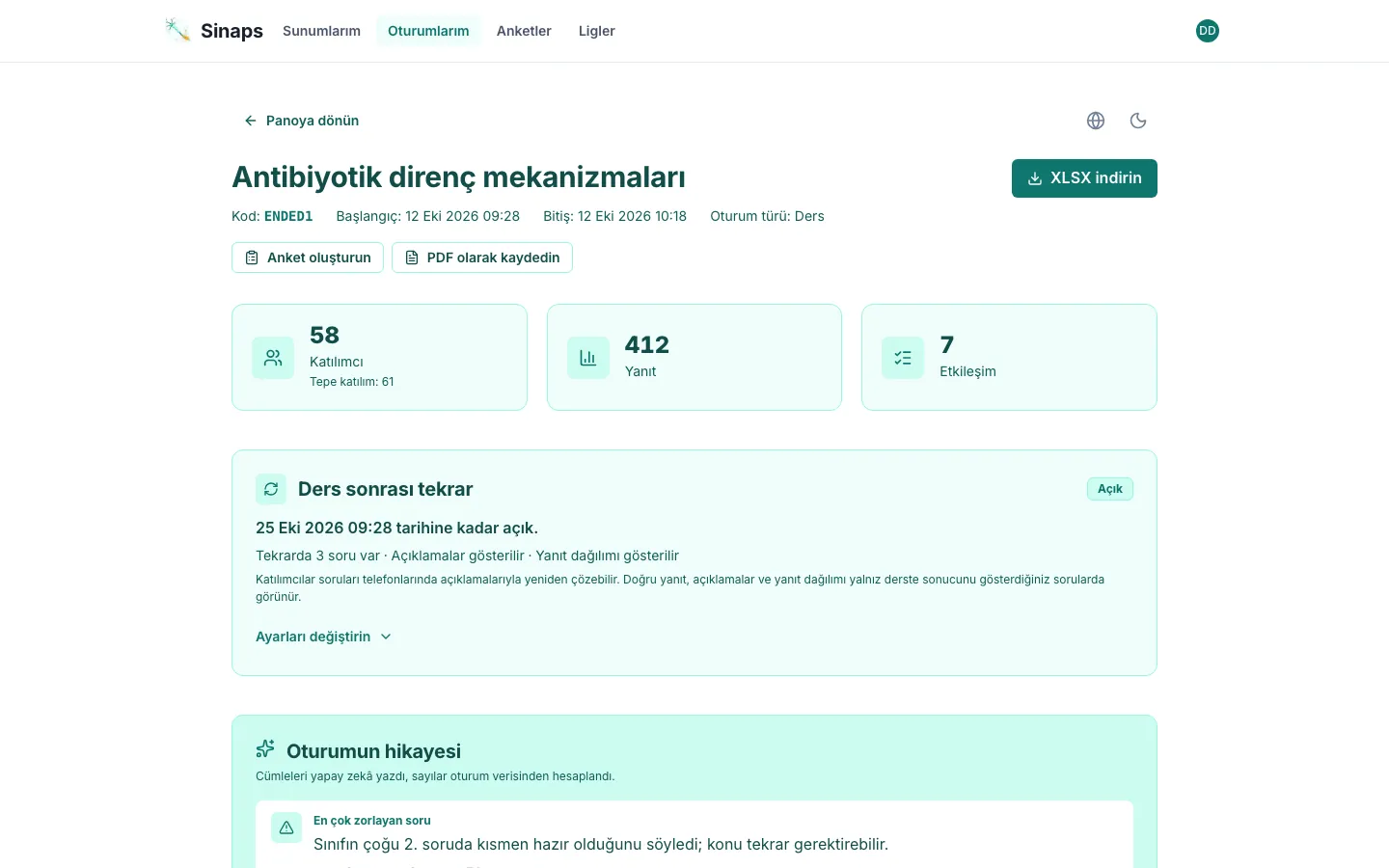
Session report: participation summary and the answer distribution for each question.

Session report

  • Answer distribution and correct rate for each question
  • Attendance list and Excel export
  • Comparisons are hidden when fewer than 3 people answered

How it works

From preparation to report in three steps.

  1. Upload your slides

    Use a PowerPoint (PPTX, PPT) or PDF file, then add questions between the slides.

  2. Share the code or QR code

    Participants join in their phone's browser; no app or account needed.

  3. Reveal results, read the report

    Put the answers on screen whenever you choose. The report is ready when the session ends.

Trust

Clear rules for your data.

Our legal pages answer, point by point, the questions your institution will ask.

KVKK and data location

Our servers are outside Türkiye. We list which data is held by which provider and the legal basis for the transfer. Raw session records are deleted after 180 days.

Data location

Ad-free

No ads, analytics trackers or cookies. We do not sell your data.

Privacy policy

AI and your data

There is no AI on the participation page. Smart suggestions work only with your explicit consent and are not added to your presentation until you approve them; participant names never reach the model.

AI and your data

Accessibility

Every change to the interface triggers an automatic WCAG 2.2 AA scan of 274 views. Last measured: 13 October 2026.

Accessibility statement

Before you start

Frequently asked questions.

Do participants have to download an app?

No. They join in their phone's browser by scanning the QR code or entering the code; no app or account is needed. iPhone users can also join with the Sinaps app from the App Store if they prefer.

Can I use my existing presentation?

Yes. Upload your PowerPoint (PPTX, PPT) or PDF file and add questions between the slides.

What do I need to present?

First create a free account or sign in with your AlgoMED account. Creating presentations and starting live sessions requires presenter access; after signing in you can apply from the My participations page. Accounts with presenter access go straight to the dashboard.

Is Sinaps paid?

Sinaps is free at the moment. We do not show ads and we do not sell your data.

Where can I use Sinaps?

In high school and university classes, at conferences and scientific meetings, and in corporate training. When you start a session you choose "Lecture" or "Conference / event"; the wording on participant screens and in the report follows that choice. High school students join under a nickname; for participants under 16, the teacher or school obtains the necessary permissions.

Can I see the results after the session?

Yes. You review answers and attendance in the session report. Participants can work through the questions again on their phones and, if you allow it, download the slides as a PDF with the correct answers and explanations. Those who join with an AlgoMED account also see their own participation history.

Where is our data stored?

Sinaps's servers are outside Türkiye. Our privacy policy lists which data sits with which provider and the legal basis for transfer abroad. A version hosted in Türkiye or installed on your institution's servers does not exist today.

Data location
What does the AI see?

AI runs only on the presenter's screens; there is no AI on the participation page. Smart suggestions ask for your explicit consent on first use and are not added to your presentation until you approve them. Participant names never reach the model.

AI and your data
Is Sinaps accessible?

The participation page, the presenter screens and this page are scanned automatically against WCAG 2.2 AA with every change to the interface. Our accessibility statement lists what we measure and the known limits.

Accessibility statement

Getting started

Ask your first question in your next class or talk.

Accounts are free. Upload your slides, add a question and look at the answers with the room.